




-100x100.png "Cybergun")





























How to Use a Coupon Code
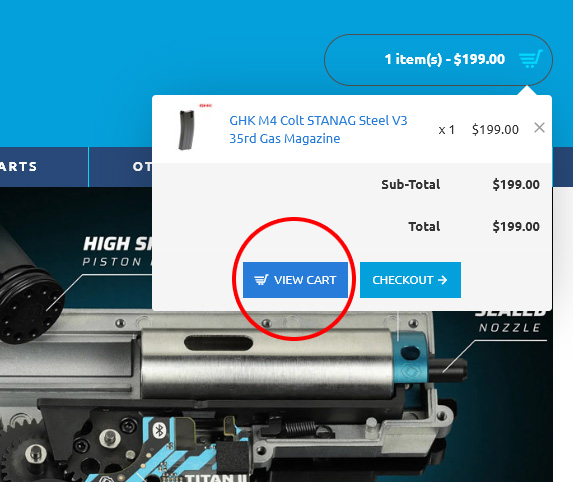
To input a discount code click on the cart on the top right corner of the page and select "View Cart".
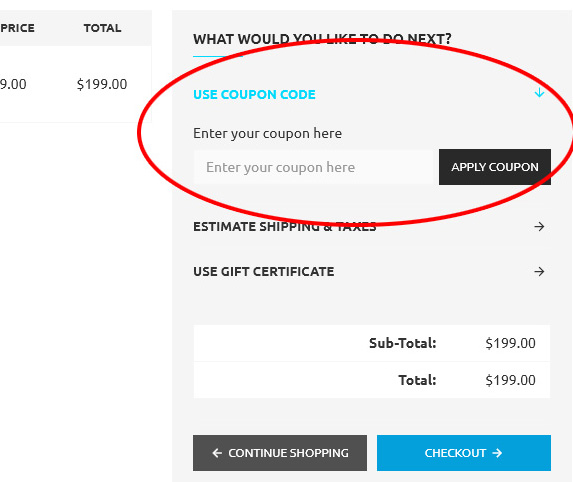
Click on "Use Coupon Code" and enter in your discount code to have it apply on your order!
Step by Step order:
Step 1 - Have your Code ready.
Step 2 - Place your desired items into your shopping cart.
Step 3 - Go to your Shopping Cart as found on the Top Right hand Corner.
Step 4 - Insert the Code (as seen in image)
Step 5 - press Apply Coupon.
Step 6 - Enjoy your discount.
If you have any questions or need further help with applying a coupon code, feel free to email us at [email protected] or give us a call at 09-379 3799